Feature Guide
Look up Hockey Canada rules instantly — powered by on-device AI, no internet connection required.
Getting There
The Rulebook lives in the More tab — the last tab in Rink Rat's bottom navigation. Tap More, then tap Rulebook from the list to open it.
Starting a Conversation
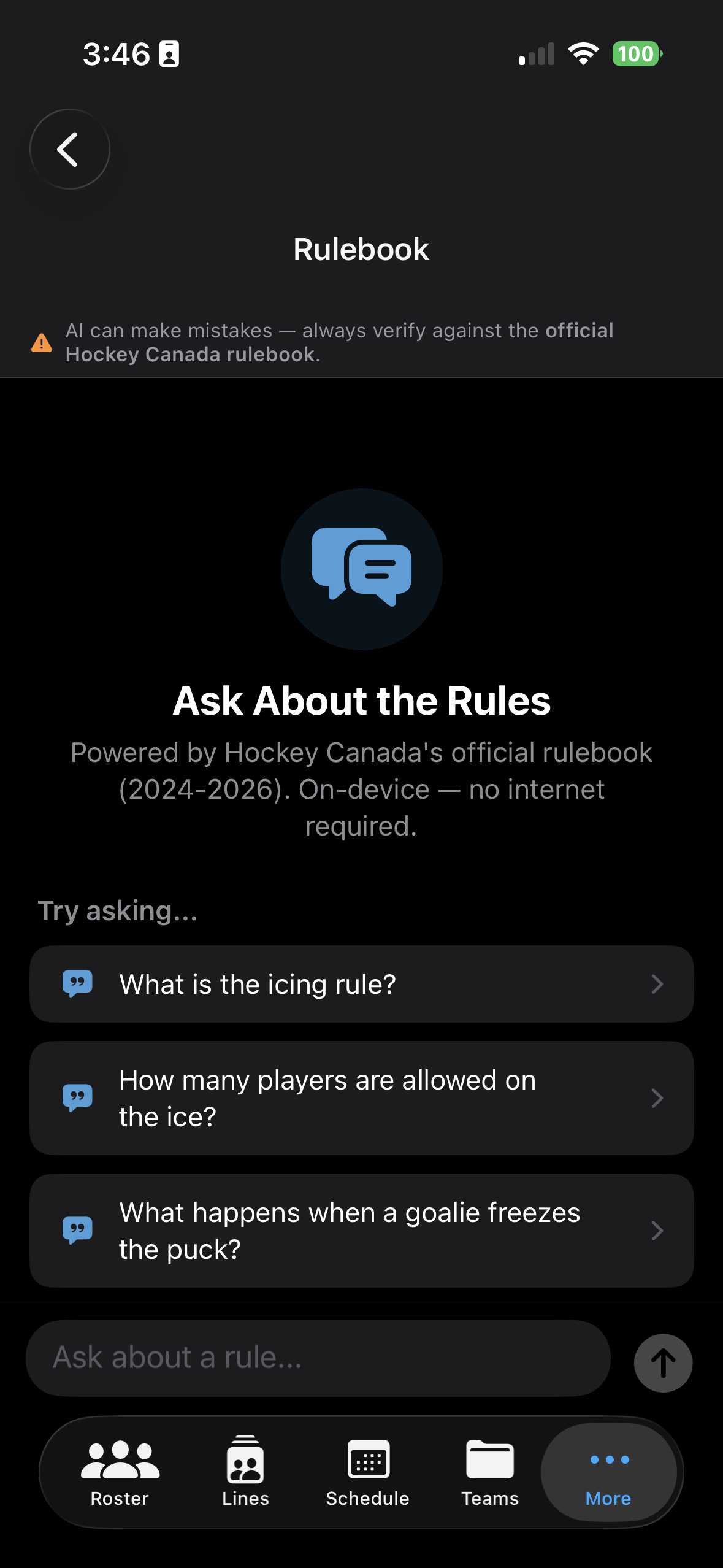
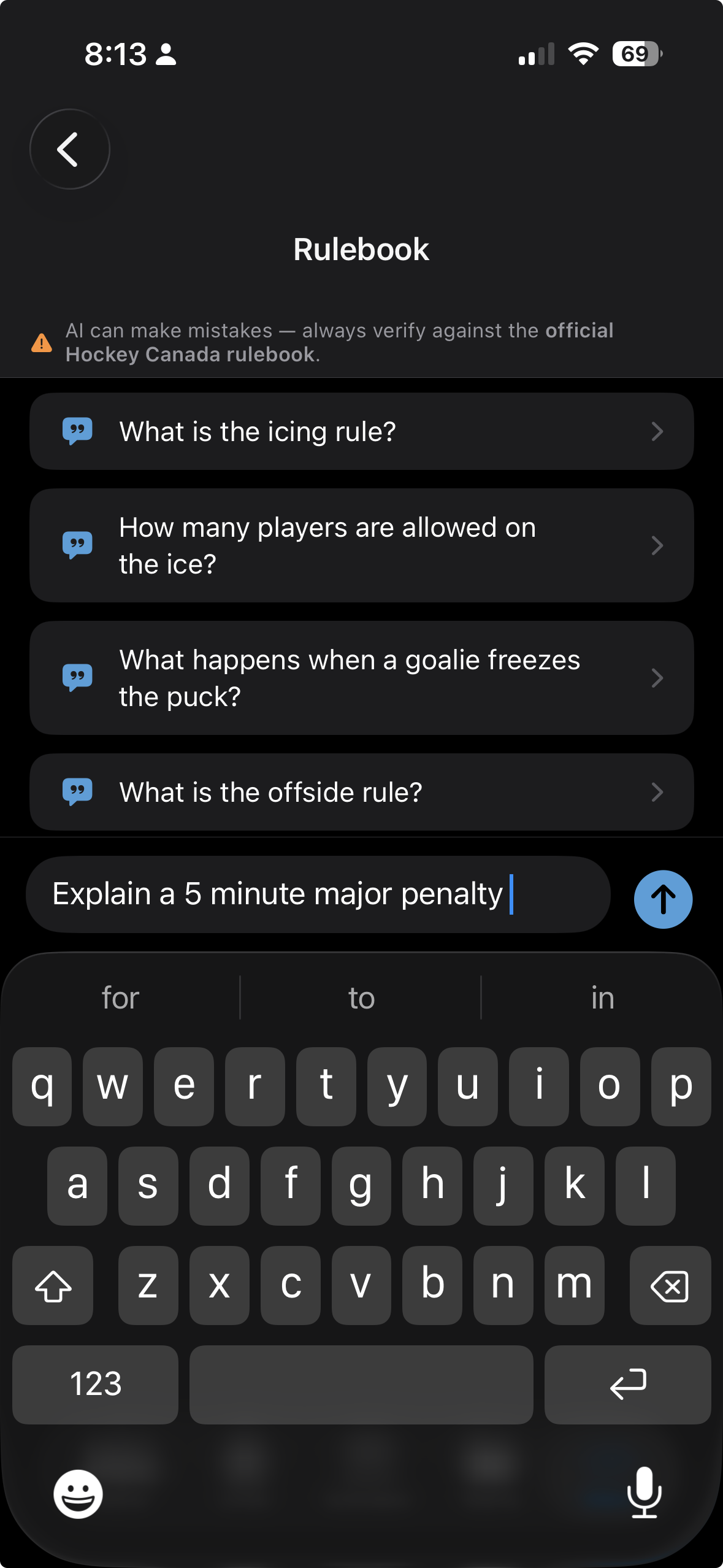
The Rulebook opens with a set of suggested questions to get you started quickly. Tap any suggestion to ask it instantly, or tap the "Ask about a rule…" input at the bottom and type your own question in plain language.
The AI Answer
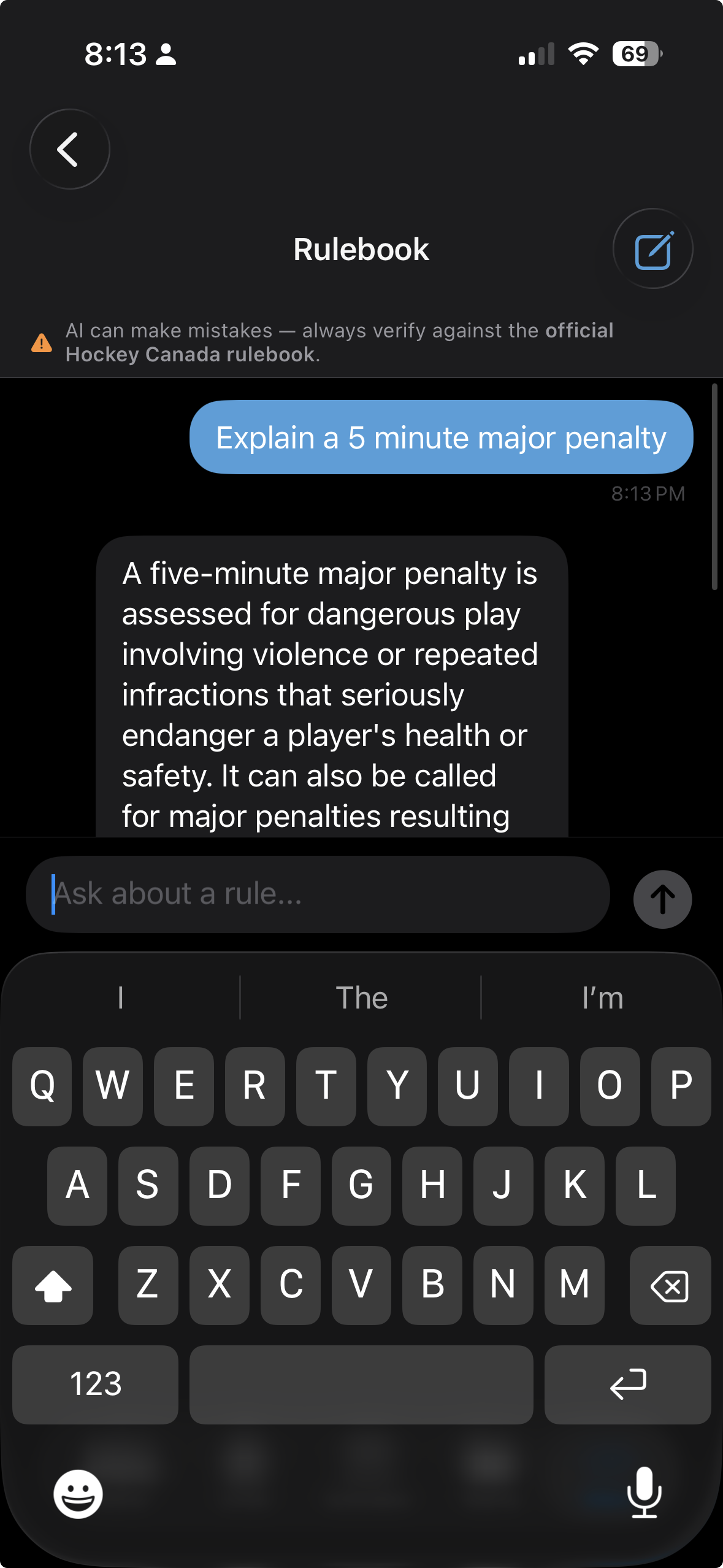
After you send your question, it appears as a message bubble and the Rulebook responds directly below it. The answer is written in plain language — no rule codes or legal jargon — so you can get clarity fast, even between periods.
Source Check
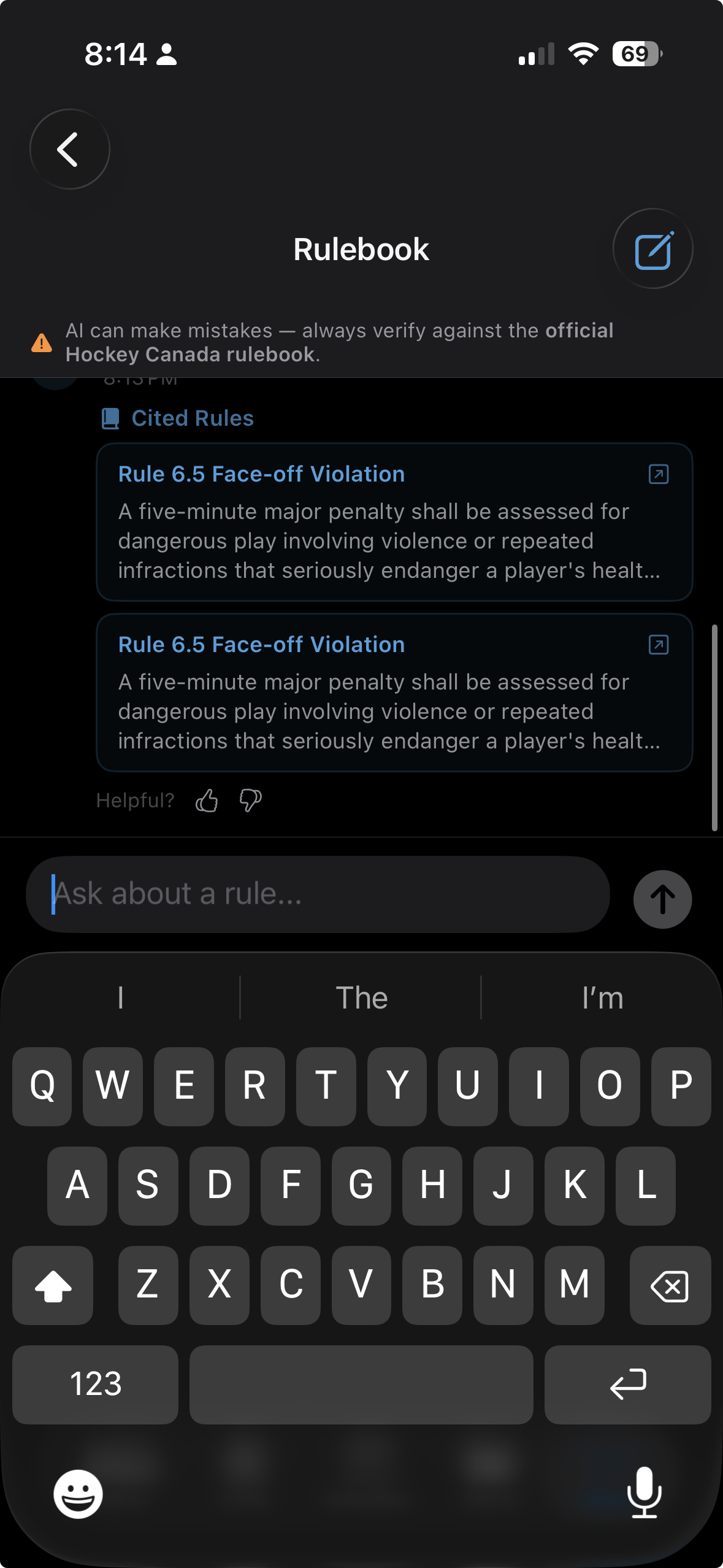
Below each AI response you'll find a Cited Rules section showing one or more citation cards. Each card shows the rule name and section. Tap a card to open the full rule text.
The Source
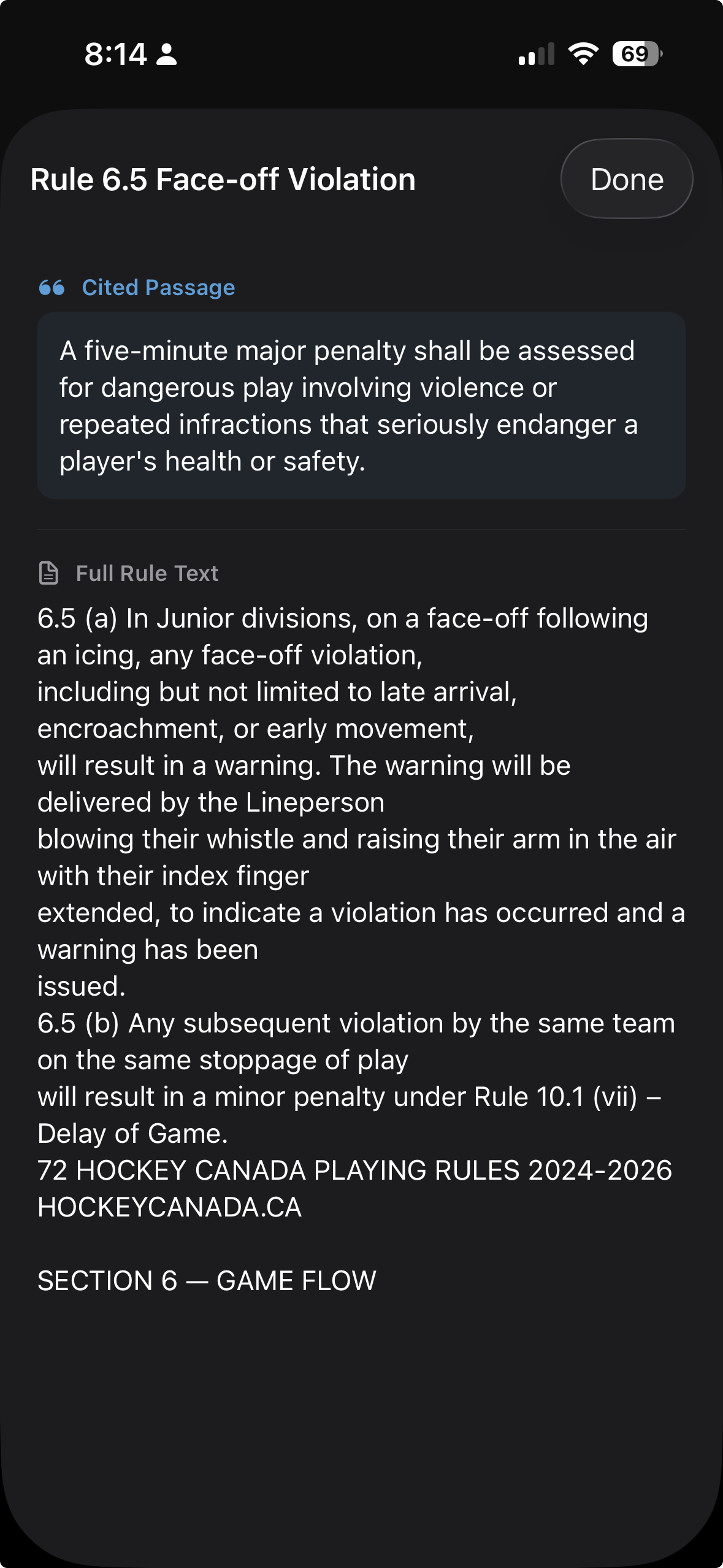
Tapping a citation card opens a sheet showing the exact passage the AI cited — highlighted at the top — followed by the complete rule text below it. Swipe down to close and return to the chat.
Apple Intelligence Required
The Rulebook is powered by Apple Intelligence — Apple's on-device AI. If your device isn't eligible or Apple Intelligence isn't turned on, the Rulebook screen will explain what's needed. An Open Settings button may appear to take you directly to the right place.
📸 Screenshot coming soon
Rinkside is currently in beta. Request TestFlight access to try the Rulebook and every other feature.
Request TestFlight Access