Guide 1
Set up your even strength lines, special teams units, and let Auto Build do the heavy lifting before game time.
Lines Tab
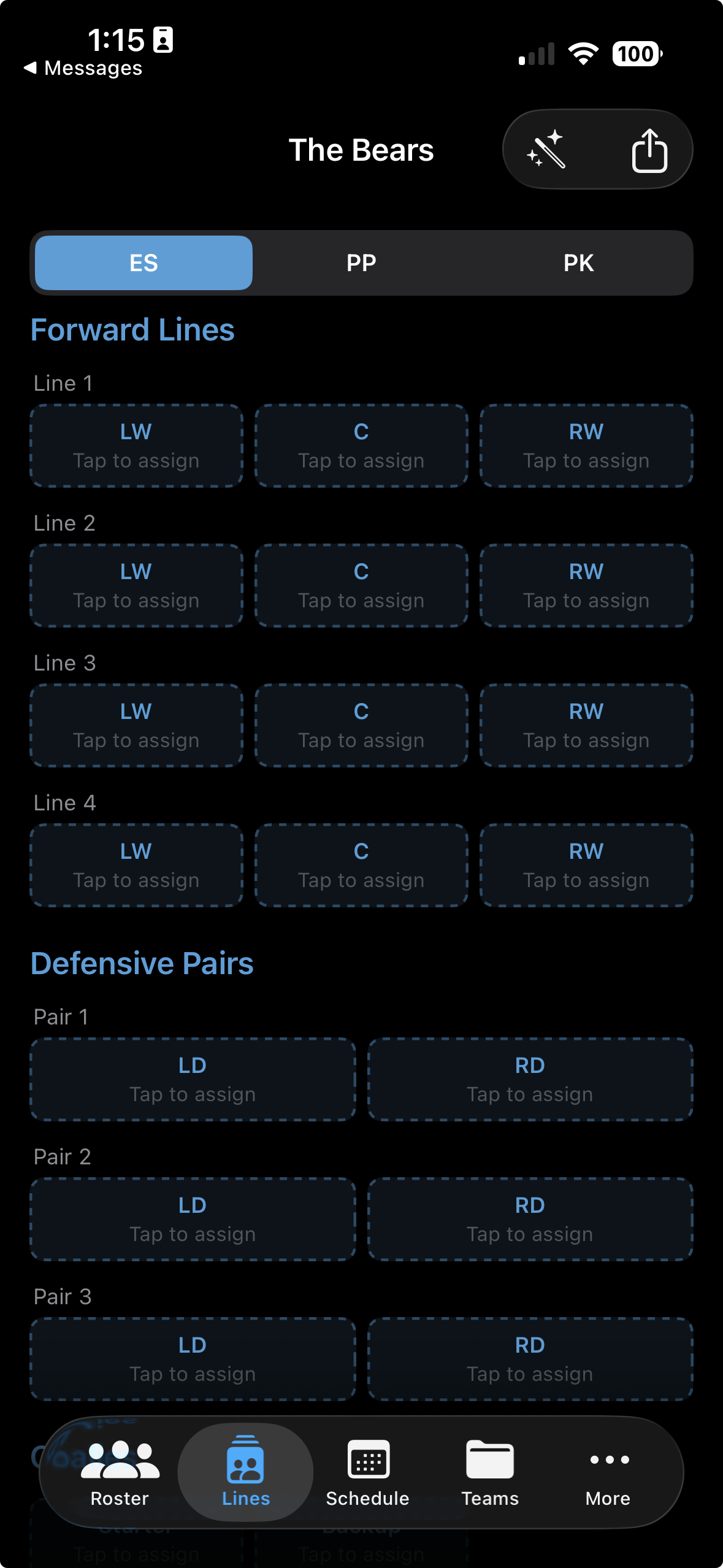
From anywhere in the app, tap the Lines tab — the sportscourt icon in the bottom navigation bar. You'll land on the Lines overview, which shows your current line configuration for the active team.
Even Strength
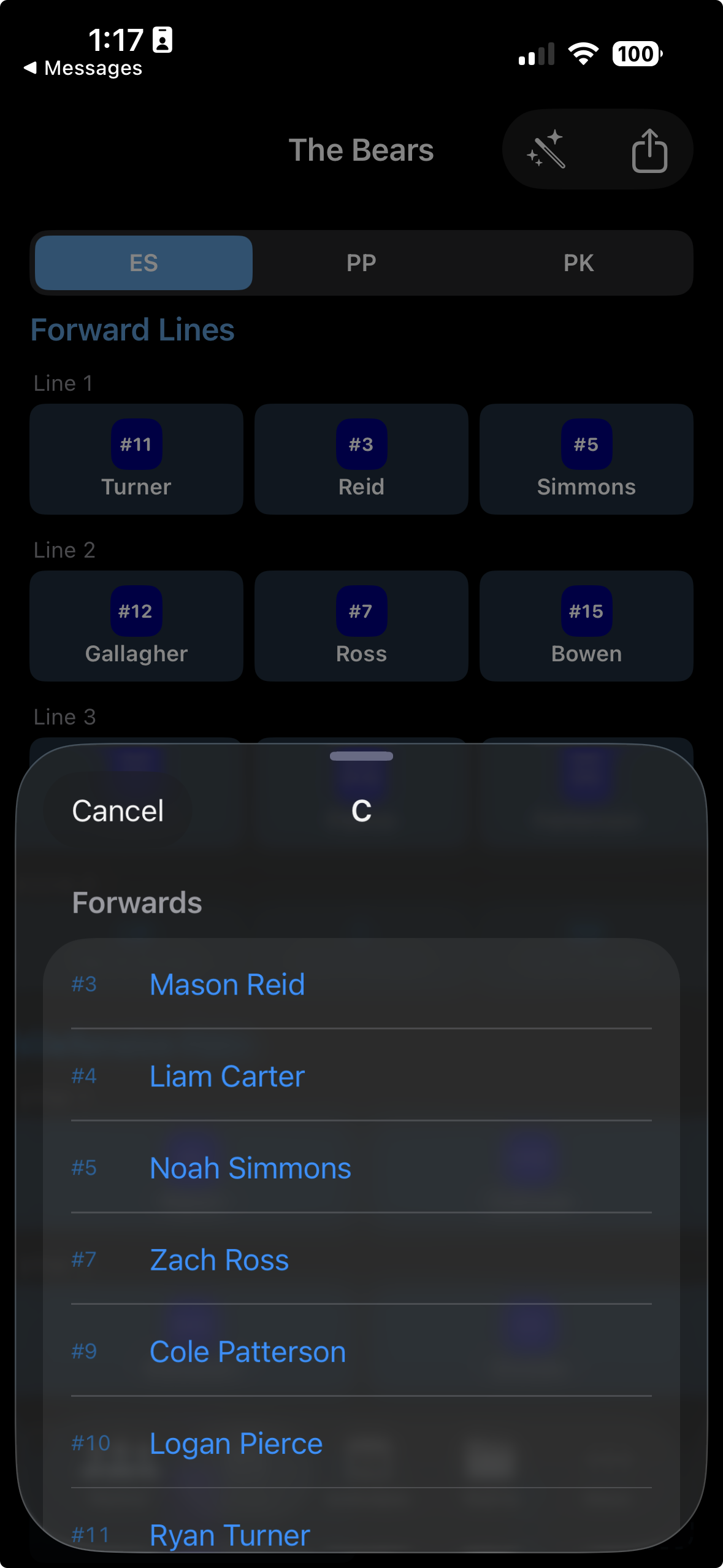
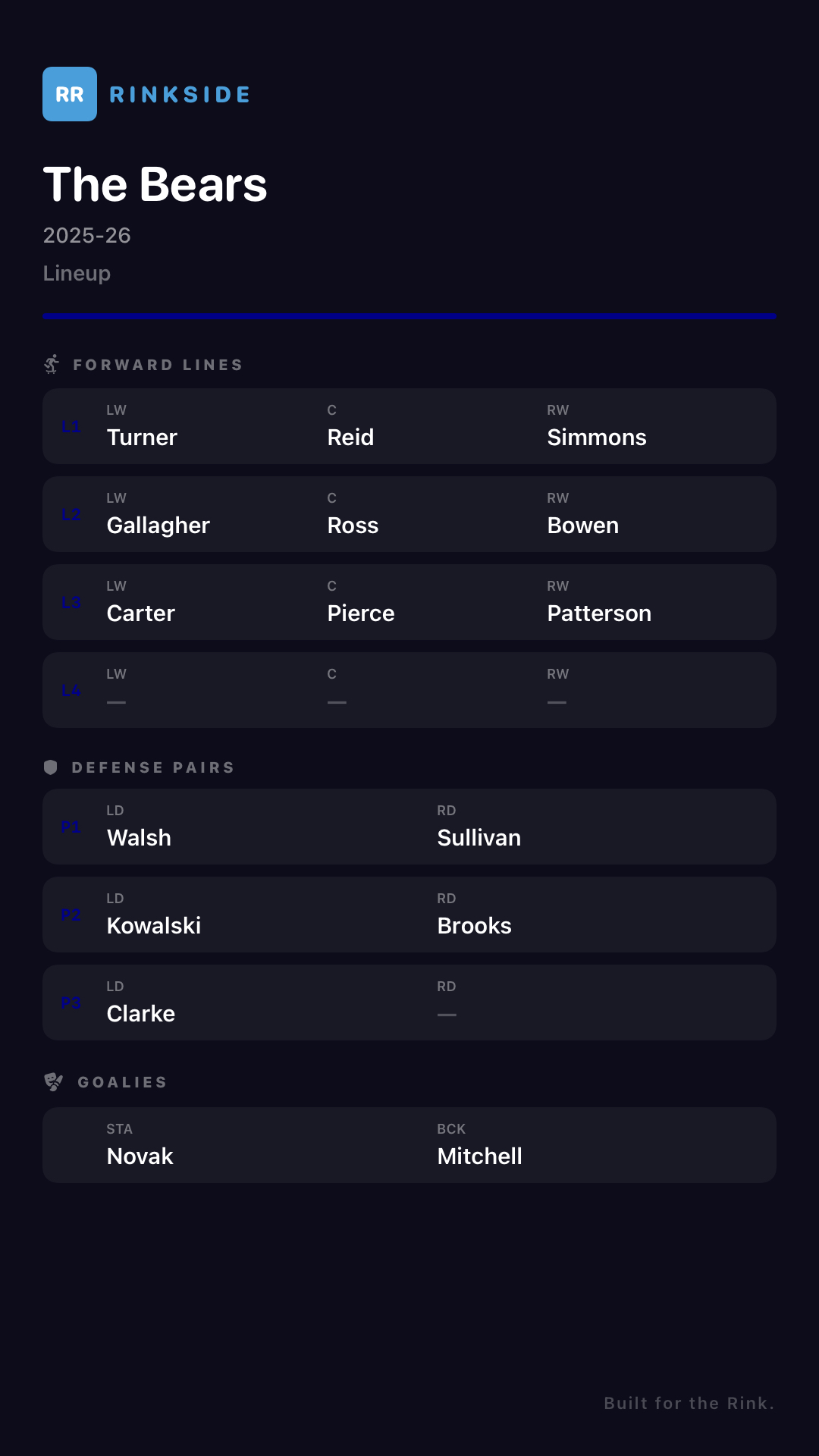
Under Even Strength, you'll see four forward lines — each with a Left Wing, Centre, and Right Wing slot. Tap any empty slot to open the player picker, then select the forward you want to assign.
Below the forward lines, you'll find three defensive pairs — each with a Left Defence and Right Defence slot. Tap each slot and assign your defencemen across the three pairings.
At the bottom of the Even Strength section, tap the two goalie slots and assign your starting and backup goalie. Rinkside tracks goalie stats separately so keeping these accurate matters.
Special Teams
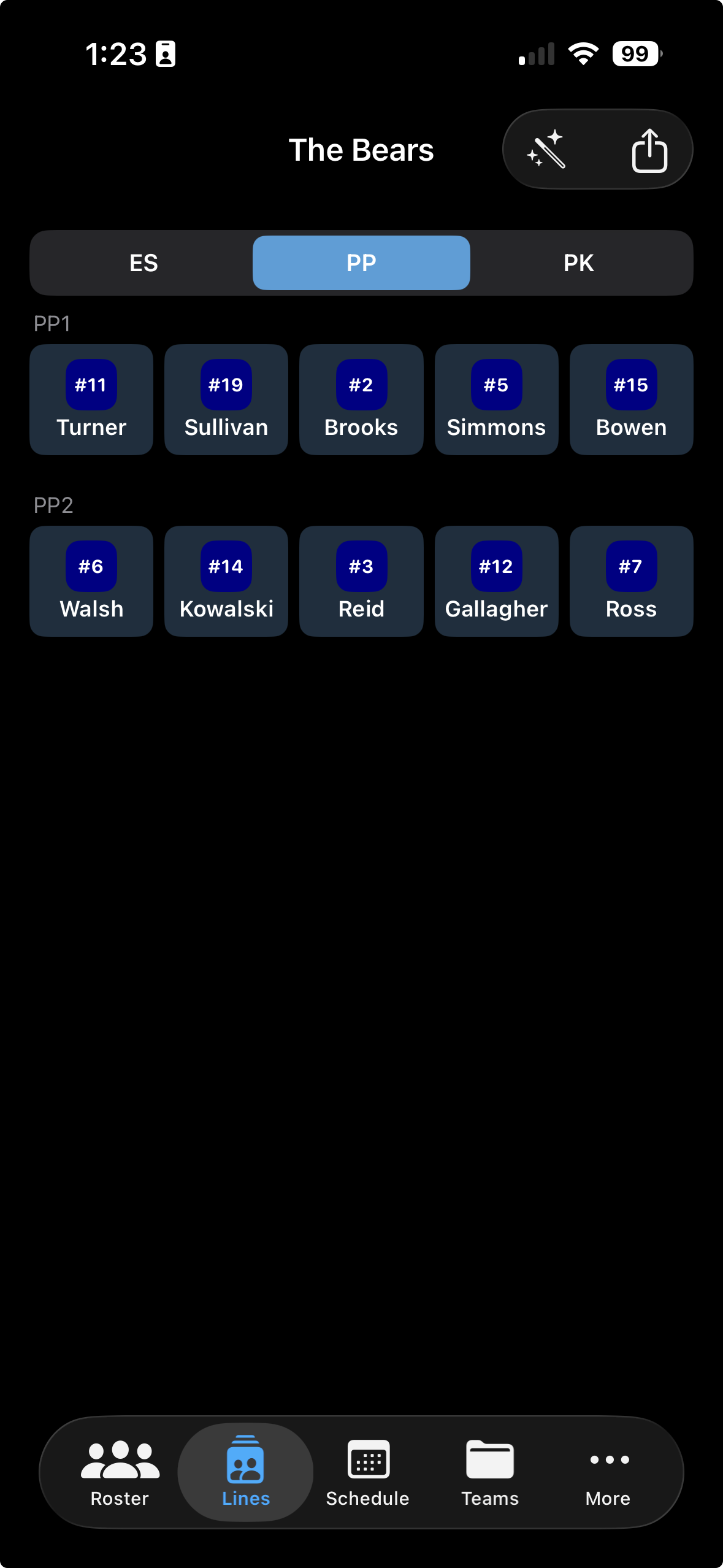
Below the Even Strength lines, you'll find Powerplay and Penalty Kill sections. Each has two units — PP1, PP2, PK1, and PK2 — with five player slots per unit.
Tap any empty slot in the PP or PK section and pick the player from the roster. Build out both units for each — having a second unit ready means you're covered for any situation during the game.
Editing Lines
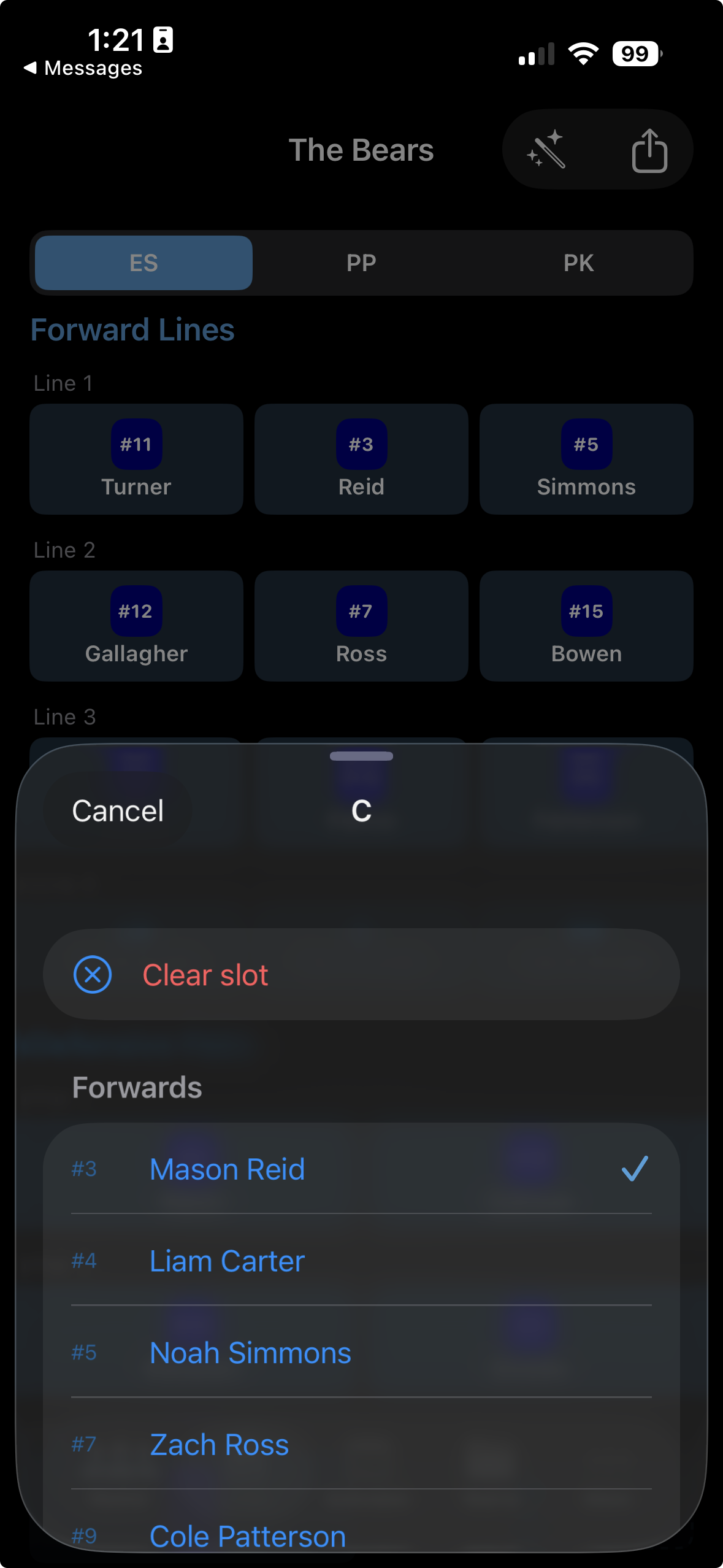
Tap any slot that already has a player assigned. You'll see options to Replace (pick someone else) or Clear (remove the player and leave the slot empty). Tap Clear to open up the slot.
Sharing
Tap the Share button at the top of the Lines screen. Rinkside generates a clean lineup card image showing all your lines — ready to send to your assistant coach, parents, or save to your camera roll before the game.
The iOS share sheet will appear with all your usual options — AirDrop to your assistant coach, send via Messages, save to Files, or share to any app on your phone. Your lineup image is exported at full resolution.
Auto Build
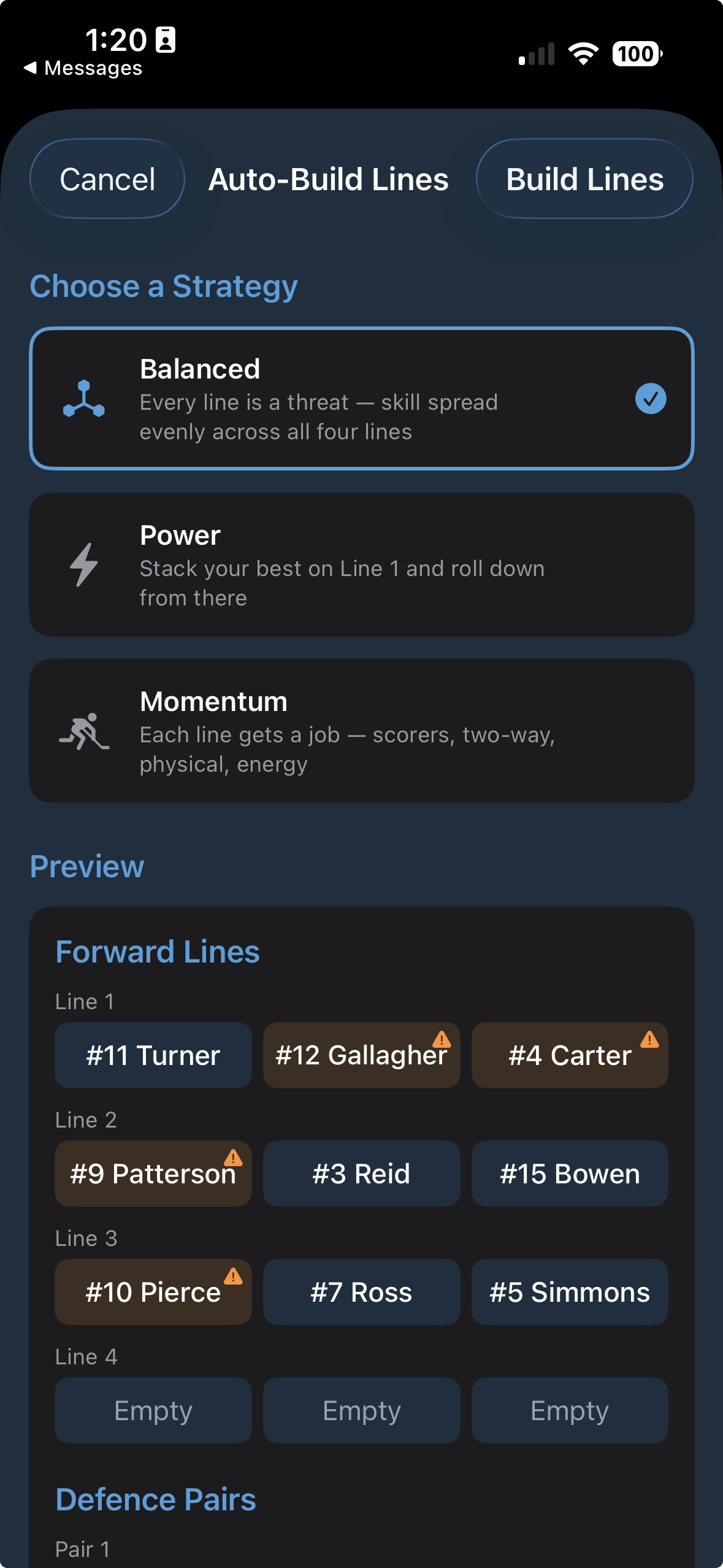
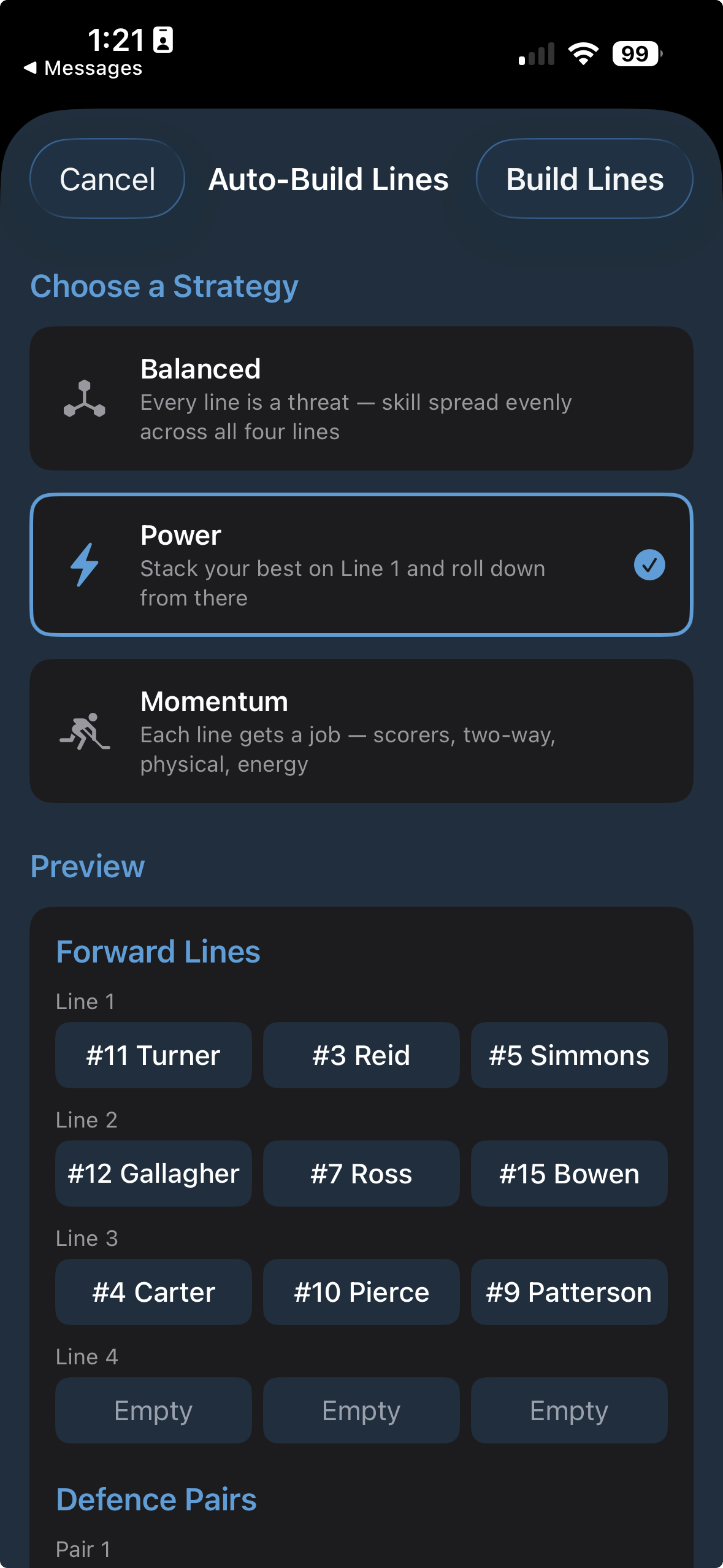
Tap the Auto Build button on the Lines screen. Rinkside will automatically distribute your players across your forward lines, defensive pairings, and goalie slots based on their roster positions.
After Auto Build runs, review each line and make any adjustments. Your coaching instincts matter — use Auto Build as the first draft, then move players around until the lineup reflects how you actually want to run the game.
Rinkside is currently in beta. Request TestFlight access and start coaching smarter.
Request TestFlight Access